Mall4j-国际化说明
跨境多商户版 · Mall4j-国际化说明
Mall4j 国际化说明
Section titled “Mall4j 国际化说明”前端国际化使用 vue-i18n 插件,项目已集成配置
后台管理、PC项目(vue)
Section titled “后台管理、PC项目(vue)”// 后台管理src\i18n\langs
// PC项目\locales语言包文件说明
Section titled “语言包文件说明”使用键值对声明当前语言下key对应的值,页面将显示当前语言下对应键名的值。 注:PC项目语言包文件格式为 JSON 使用方法相同
en.js
const en = { index: 'Home', user: { userName: 'User Name' }}export default enzh_CN.js
const zhCn = { index: '首页', user: { userName: '用户名' }}export default zhCn在模版中使用
<template> <div class="index"> {{ $t('index') }} <!-- 首页 || Home --> <div class="user"> {{ $t('user.userName') }} <!-- 用户名 || User Name --> </div> <!-- :bind --> <input :placeholder="$t('user.userName')" /> </div></template>在 JS 中使用
fun() { console.log(this.$t('user.userName')) // 用户名 || User Name // console.log(this.$i8n.t('user.userName')) // $i8n.t 等同于 $t}移动端项目(uniapp)
Section titled “移动端项目(uniapp)”src\utils\lang语言包文件说明
Section titled “语言包文件说明”使用键值对声明当前语言下key对应的值,页面将显示当前语言下对应键名的值。
在模板文件计算属性中引入 i18n
computed: { i18n() { return this.$t('index') }}在模版中使用
<template> <div class="index"> {{ i18n.index }} <!-- 首页 || Home --> <div class="user"> {{ i18n.user.userName }} <!-- 用户名 || User Name --> </div> <!-- :bind --> <input :placeholder="i18n.user.userName" /> </div></template>在 JS 中使用
fun() { console.log(this.i18n.user.userName) // 用户名 || User Name}后端国际化使用 spring boot的国际化
语言代码及资源目录
Section titled “语言代码及资源目录”1.国际化语言配置文件
Section titled “1.国际化语言配置文件”yami-shop-common 模块中的resources文件夹
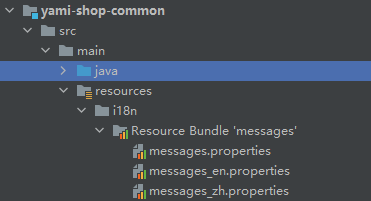
2.国际化代码目录
Section titled “2.国际化代码目录”yami-shop-common 模块中src\main\java\com\yami\shop\common\i18n包下
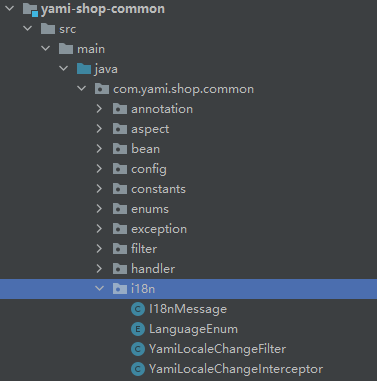
1.messages_en.properties、messages_zh.propertie语言配置文件中添加参数
Section titled “1.messages_en.properties、messages_zh.propertie语言配置文件中添加参数”
yami-shop-common 模块中的resources文件夹
2.手动请求国际化
Section titled “2.手动请求国际化”String fileName = I18nMessage.getMessage("yami.excel.user.info");3.国际化在异常中的使用
Section titled “3.国际化在异常中的使用”throw new YamiShopBindException("yami.order.no.exist");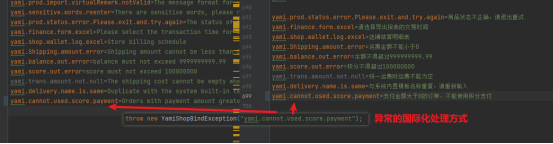
添加一门新的语言
Section titled “添加一门新的语言”1.新增一个messages_xxx.propertie语言配置文件, 按照已有的参数填充对应的翻译信息
Section titled “1.新增一个messages_xxx.propertie语言配置文件, 按照已有的参数填充对应的翻译信息”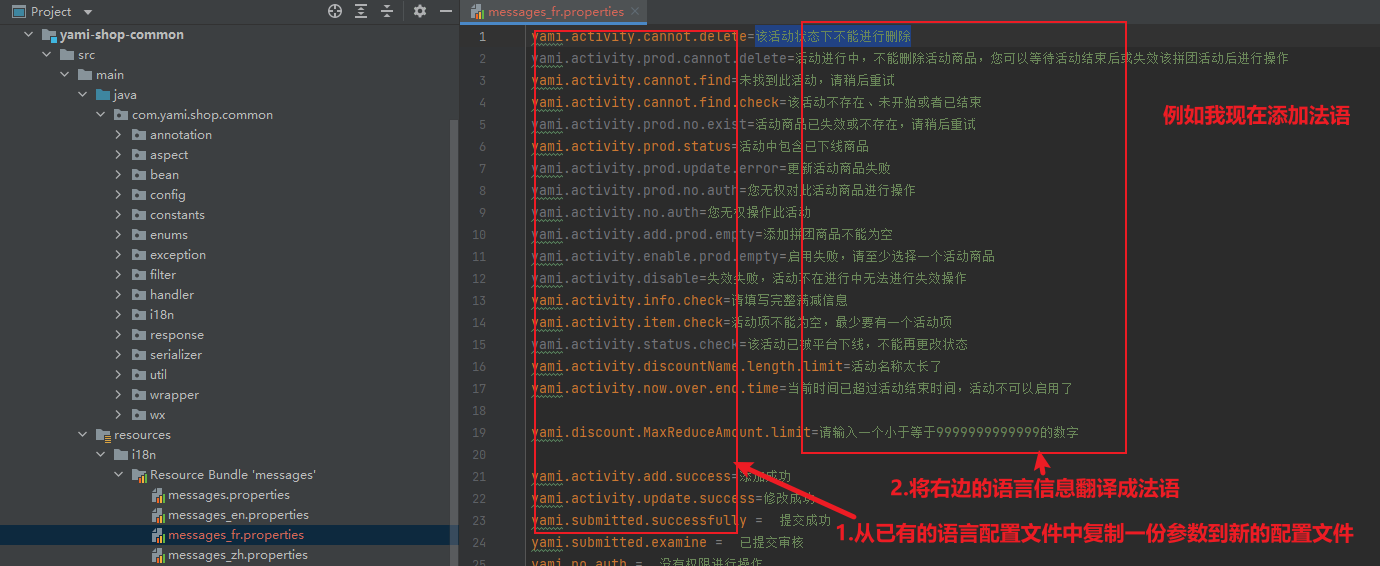
2.LanguageEnum枚举类中添加新语言
Section titled “2.LanguageEnum枚举类中添加新语言”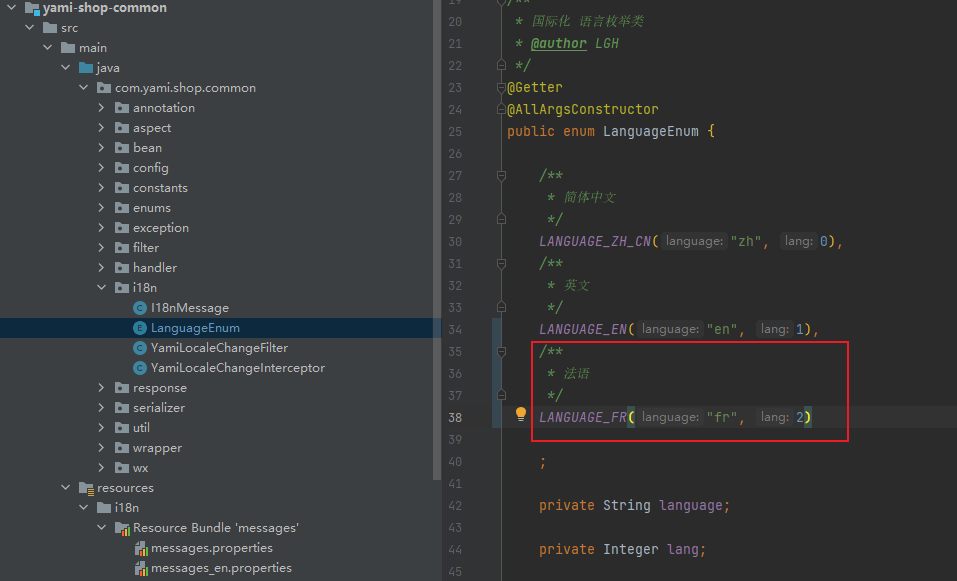
3.把LanguageEnum枚举类中新语言配置的language给前端,前端请求头中携带该参数即可
Section titled “3.把LanguageEnum枚举类中新语言配置的language给前端,前端请求头中携带该参数即可”国际化语言表
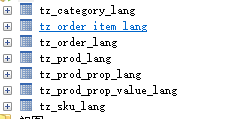
Section titled “国际化语言表”数据库中以_lang结尾的表就是国际化语言表,添加新语言时,不需要进行改动